
Repository names
Search the owner or repository name when you remember all or part of the project identity.
SEARCH FEATURE
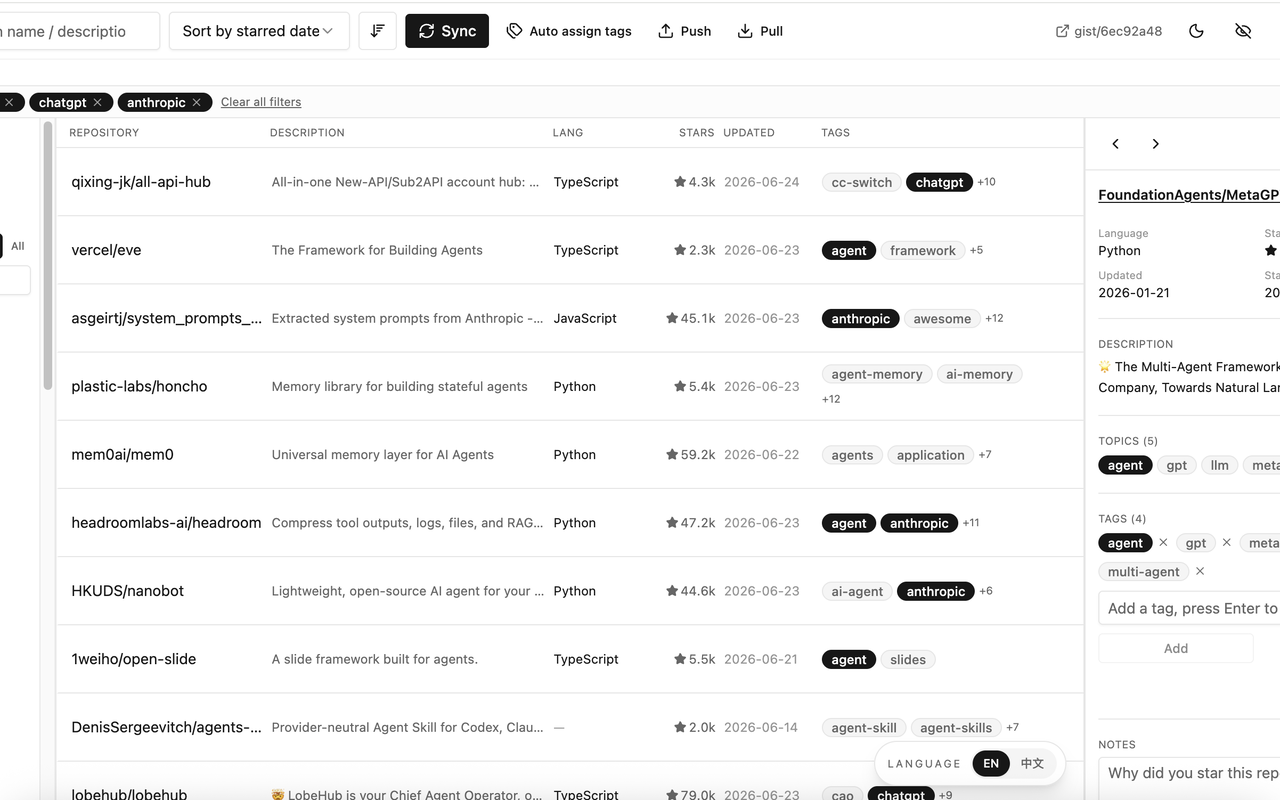
Find repositories by the context you remember. Better Stars searches names, descriptions, GitHub topics, and your private notes inside the Stars workspace.
START WITH GITHUB

GitHub already lets you search your Stars by repository or topic name, sort the list, and use language and type filters. Those controls remain useful, and Better Stars does not remove them.
Better Stars adds a retrieval layer inside the same Stars page for the times when the exact name is the part you have forgotten. You can hide the manager and return to GitHub’s native list whenever you want. GitHub documents its own controls in Saving repositories with stars.
FOUR SEARCHABLE FIELDS
A project’s purpose, classification, or the reason you saved it can be more memorable than its name. The ordinary Better Stars search box checks four defined fields.
Search the owner or repository name when you remember all or part of the project identity.
Use a phrase from what the repository does when its name no longer comes to mind.
Find projects through the repository-maintained topics included in GitHub metadata.
Retrieve a repository through the personal context you wrote in Better Stars.
NARROW THE LIBRARY
Search is one part of the workspace. Use the visible controls to narrow a result set, then choose the order that makes it easiest to review.
KEEP THE LIST PRACTICAL
Better Stars uses a virtualized list designed to handle libraries with hundreds or thousands of rows. Virtualization keeps the workspace focused on the rows currently in view; it is not a benchmark, speed guarantee, or fixed maximum library size.
The manager runs directly inside the GitHub Stars page. Search, narrow, sort, and inspect the library in that workspace, or hide it to use GitHub’s native Stars list again.
Start with a name, description phrase, GitHub topic, or private note.
Add the language, tag, favorite, ownership, untagged, or archived filters that fit the task.
Check the repository’s metadata and your saved context before following the link or editing it.
VALIDATE THE RESULT
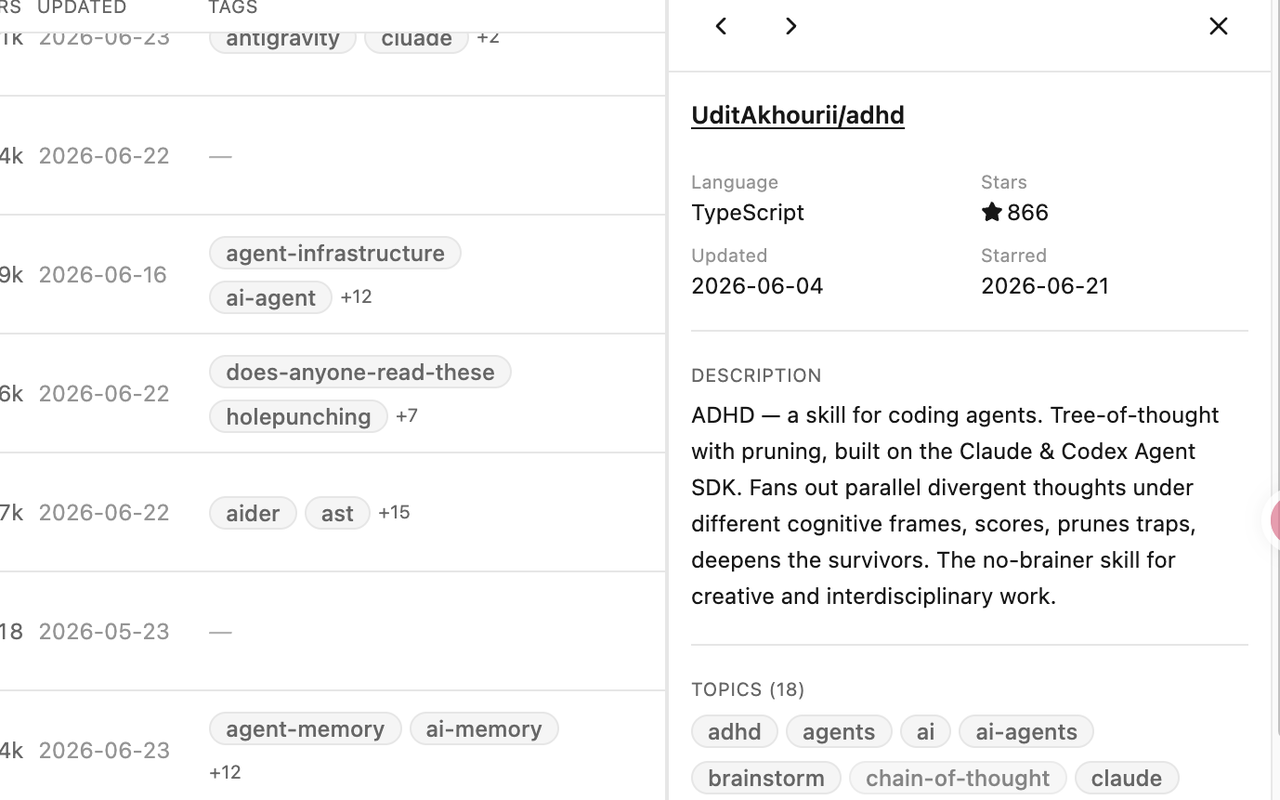
A matching name is not always enough. The repository detail view brings the description, language, dates, GitHub topics, personal tags, and notes together beside the list so you can confirm that you found the right project.
A CLEAR BOUNDARY
The ordinary Stars workspace searches repository names, descriptions, GitHub topics, and private notes. It does not inspect README files or repository source code, clone repositories, search the open web, or provide fuzzy or semantic search.
DATA FRESHNESS
Better Stars searches the repository records in its browser-based workspace. Synchronization is the step that refreshes those records from GitHub.
Incremental Sync fetches repositories starred since the previous synchronization.
Full Sync fetches all Stars and every public repository you own.
Core repository records stay in the browser; the GitHub requests occur when synchronization runs.
Current setup uses a GitHub Classic PAT; the documented core contract requires the repo and gist scopes. For the complete setup and maintenance flow, see how to organize your full GitHub Stars library.
FAQ
Repository names, descriptions, GitHub topics, and private notes.
Yes. Notes you write in Better Stars are one of the four ordinary workspace search fields.
Yes. Filters include language, tags, favorites, untagged state, archived state, and repositories you own.
No. Ordinary search is limited to the four workspace fields. Optional Cubby code search is a separate, explicitly requested operation with a bounded public-repository scope.
Yes. Archived and untagged are supported filters that you can use alongside a search.
No. Better Stars adds a manager inside the GitHub Stars page, and you can hide it to return to the native list.
BETTER STARS
Add Better Stars to your GitHub Stars page and search the library by more than repository name.